Stream Setup
The software behind the Live Input Stream Overlay: the customizer I built, and the OBS scenes it drives.
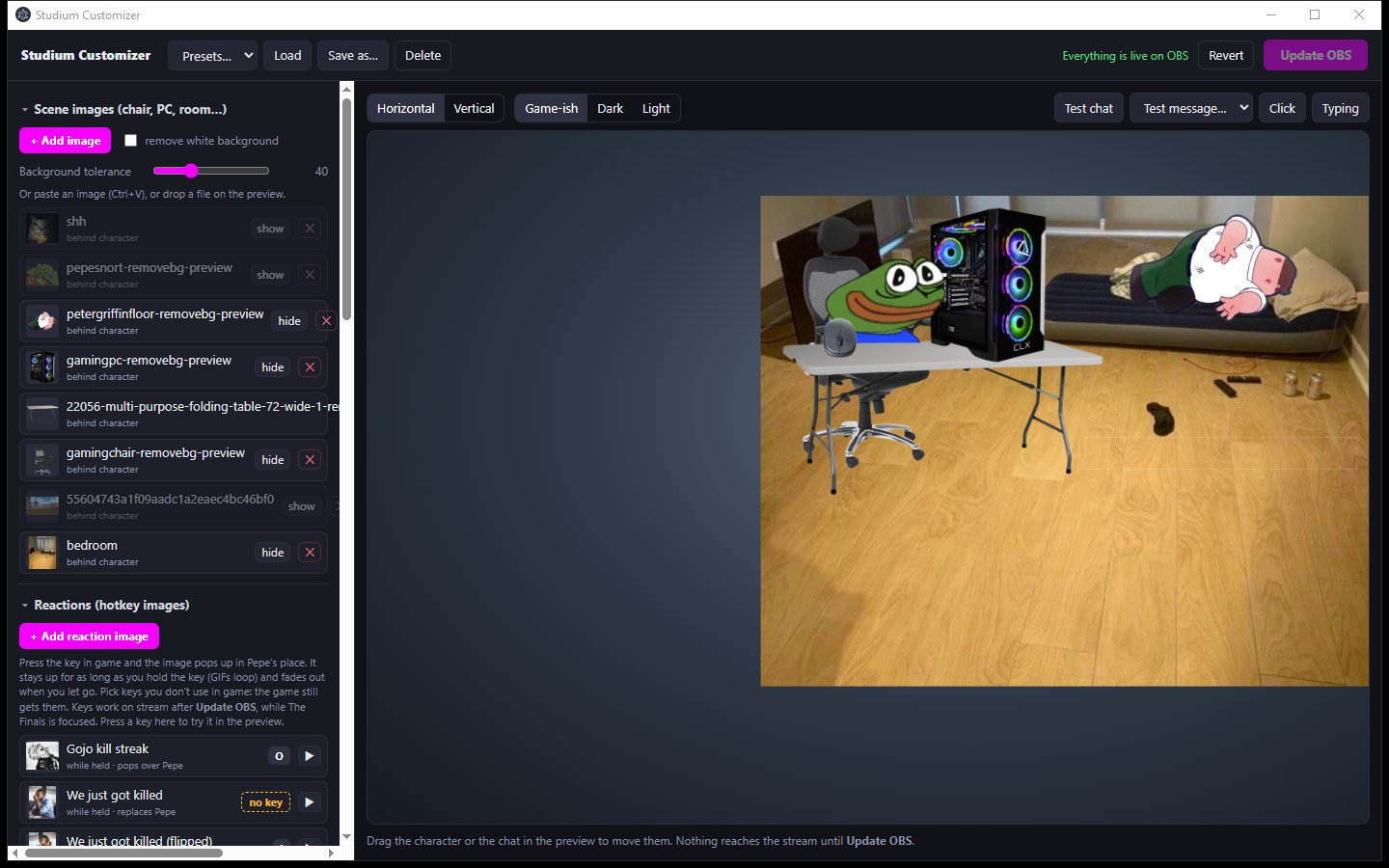
Studium Customizer (Electron app I built)
- Scene images (chair, PC, room) and hotkey reaction images are added, shown or hidden in a list, with a background-removal option for uploaded pictures.
- The live preview on the right shows the overlay with horizontal and vertical layouts and light, dark or game-ish themes. Characters and chat are dragged into place, and test buttons fire chat messages, clicks and typing.
- Nothing reaches the stream until Update OBS; the status reads "Everything is live on OBS" once it's pushed, and Revert undoes changes.
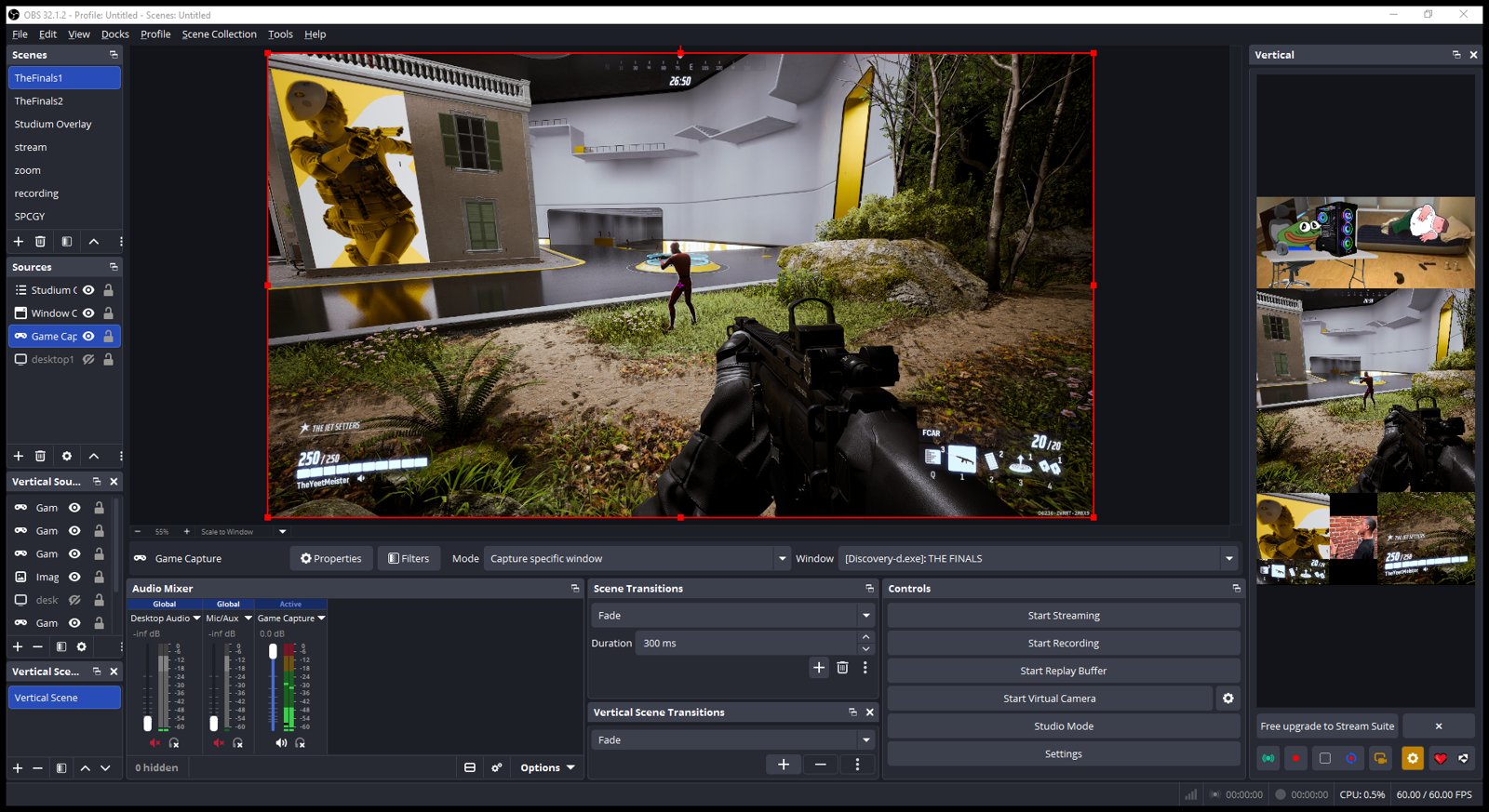
OBS: horizontal and vertical canvases
- The main canvas captures the game; the Studium overlay is a browser source layered on top.
- The vertical (9:16) canvas on the right stacks the overlay room scene above the gameplay, for short-form clips.
Electron · JavaScript · Python WebSocket hub · OBS browser sources